Top 10 Productivity Tools 2026: Task & Time Management
PostZio Team
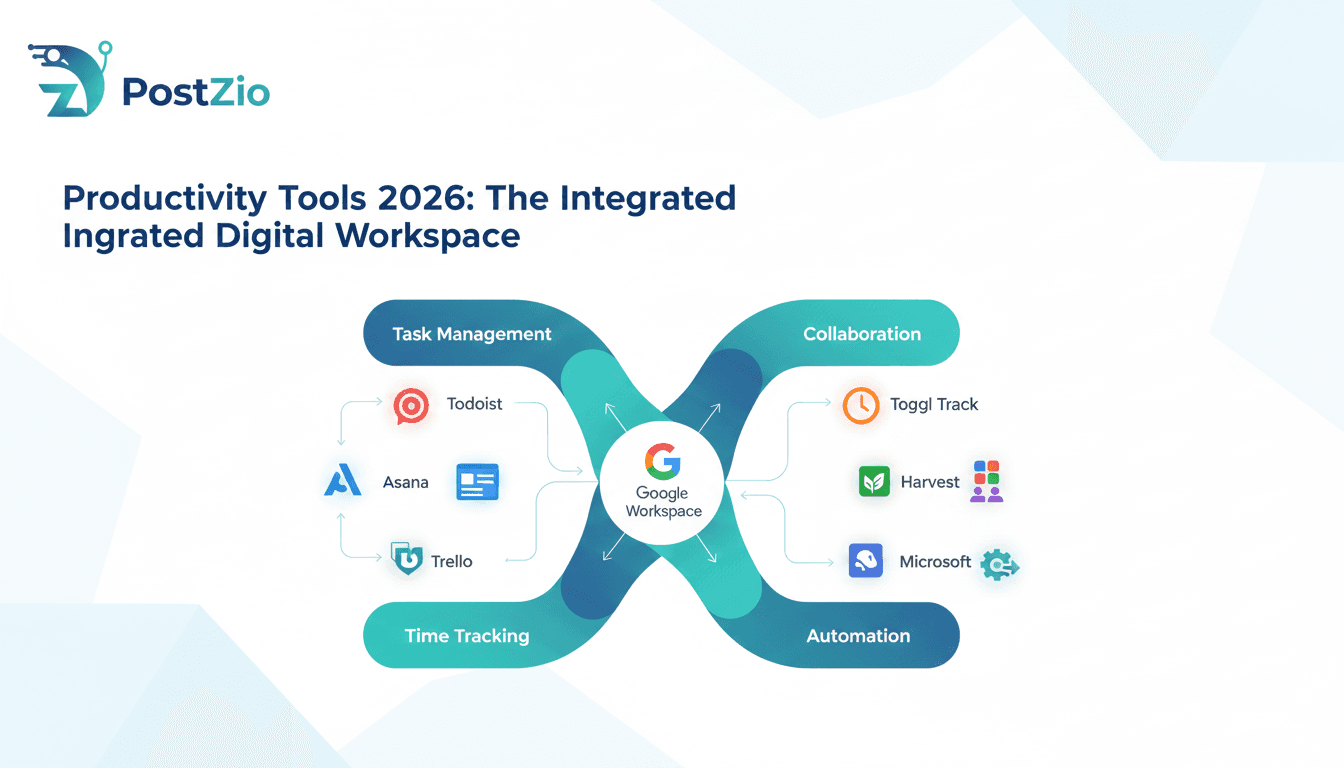
The modern workplace has transformed dramatically over the past few years, and as we navigate through 2026, the demand for effective productivity tools has never been more critical. Whether you're managing a remote team, juggling multiple projects as a freelancer, or simply trying to optimize your personal workflow, the right combination of task management software, time tracking applications, and collaboration tools can make the difference between chaos and clarity.
According to Gartner's 2026 Digital Workplace Report, organizations using integrated productivity tools experience 47% higher employee satisfaction and 34% faster project completion rates compared to those relying on disconnected systems. This comprehensive guide explores the top productivity solutions available today, helping you understand which tools will best serve your specific needs and how to implement them effectively in your daily operations.
The productivity software market has exploded with innovation, offering solutions that range from simple to-do list applications to complex project management platforms with artificial intelligence capabilities. With the global productivity software market expected to reach $102 billion by 2027 according to Grand View Research, choosing the right productivity tools requires careful evaluation of features, pricing, and integration capabilities.
Why Productivity Tools Are Crucial for Success in 2026
The landscape of work has fundamentally changed, and productivity tools have evolved from nice-to-have additions to essential components of any successful operation. In 2026, the average knowledge worker manages multiple projects simultaneously, collaborates with team members across different time zones, and faces constant demands on their attention. Research from McKinsey & Company shows that employees spend 28% of their workweek managing emails and nearly 20% looking for internal information or tracking down colleagues for help.
Without proper systems in place, this complexity quickly becomes unmanageable, leading to missed deadlines, communication breakdowns, and burnout. Productivity tools serve as the foundation for modern work efficiency by providing structure, visibility, and accountability. They transform abstract tasks into concrete action items, unclear timelines into organized schedules, and scattered communications into centralized conversations.
The integration capabilities of modern productivity tools have created ecosystems where information flows seamlessly between different applications. Your task management app can trigger notifications in your communication platform, your time tracking tool can generate insights for your project planning software, and your collaboration suite can centralize files from various sources. This interconnectedness eliminates the friction of switching between disconnected systems and ensures that everyone has access to the information they need when they need it. For content creators and social media managers, having streamlined workflows is essential, which is why tools like our YouTube video downloader at Postzio help professionals save time by quickly accessing video content for analysis and repurposing.
The Role of Task Management in Streamlining Workflows
Task management tools have evolved far beyond simple digital to-do lists, becoming sophisticated systems that help individuals and teams organize, prioritize, and execute work efficiently. These platforms address one of the most fundamental challenges in modern work: keeping track of everything that needs to be done while maintaining clarity about what matters most. When implemented effectively, task management systems reduce cognitive load by up to 25%, according to research published in the Harvard Business Review.
The psychology behind effective task management is straightforward but powerful. When we try to remember everything we need to do, we create mental clutter that drains energy and reduces focus. By capturing tasks in a reliable external system, we free our minds to concentrate on actually doing the work rather than remembering what work needs to be done. Modern task management apps enhance this basic principle with features like recurring tasks, dependencies, priority levels, and progress tracking that help users not just remember their tasks but execute them strategically.
For teams, task management tools provide essential visibility into project status and individual workloads. Managers can quickly assess progress without constant check-ins, team members can see how their work fits into larger objectives, and everyone gains a shared understanding of priorities. Atlassian's State of Teams Report 2026 found that teams using dedicated task management tools complete 31% more work on time compared to those using email and spreadsheets. This transparency reduces the need for status update meetings, minimizes duplicate efforts, and helps teams respond quickly when priorities shift.
Time Tracking: Key to Boosting Efficiency and Accountability
Time tracking has emerged as a cornerstone of productivity management in 2026, offering insights that help individuals understand how they actually spend their workdays versus how they think they spend them. This gap between perception and reality is often substantial and revealing. Research from RescueTime indicates that professionals overestimate their productive time by an average of 37%, highlighting the importance of objective time tracking data.
Many professionals are surprised to discover how much time disappears into email, meetings, or administrative tasks that don't directly contribute to their primary objectives. Time tracking software makes these patterns visible, enabling data-driven decisions about how to restructure workdays for maximum impact. The American Psychological Association reports that workers who track their time show 22% improvement in focus and 18% reduction in procrastination behaviors.
Beyond personal productivity insights, time tracking serves critical business functions for organizations that bill by the hour or need to accurately estimate project costs. Design agencies, law firms, consulting practices, and development shops rely on precise time data to ensure profitable operations and fair client billing. According to Deltek's Professional Services Maturity Benchmark 2026, firms using automated time tracking tools capture 15% more billable hours than those relying on manual timesheets.
The accountability aspect of time tracking, while sometimes controversial, can actually benefit both employees and employers when implemented thoughtfully. Rather than serving as a surveillance tool, effective time tracking functions as an objective record that protects workers from unrealistic expectations and helps teams identify processes that need improvement. When someone consistently spends excessive time on tasks that should be straightforward, that's not a performance problem but a signal that better training, tools, or processes are needed.
Collaboration Tools for Remote Teams: Enhancing Communication
The shift toward remote and hybrid work has made collaboration tools indispensable for maintaining team cohesion and productivity. While email served as the primary digital communication channel for decades, it's poorly suited for the real-time, multi-threaded conversations that modern work requires. Buffer's State of Remote Work 2026 found that 98% of remote workers use dedicated collaboration platforms, with 67% saying these tools are absolutely essential to their productivity.
Collaboration platforms like Slack, Microsoft Teams, and Google Workspace have filled this gap by creating digital spaces where teams can communicate dynamically, share files seamlessly, and maintain both formal project channels and informal social connections. These modern productivity tools do more than just facilitate conversations—they create searchable knowledge bases where important discussions and decisions are preserved and easily retrievable, unlike email threads that get buried in individual inboxes.
Effective collaboration tools enable asynchronous communication that respects different time zones and work schedules while still maintaining momentum on projects. GitLab's Remote Work Report 2026 shows that distributed teams using collaboration platforms with strong asynchronous features complete projects 19% faster than those requiring real-time communication for all decisions. They integrate with other productivity tools in your stack, bringing notifications, updates, and information into a central location where team members already spend their time.
The human element of collaboration tools shouldn't be underestimated. When teams work remotely, the spontaneous hallway conversations and quick desk visits that build relationships and facilitate problem-solving disappear. Good collaboration platforms recreate some of this spontaneity through features like status updates, emoji reactions, and dedicated social channels that help maintain the personal connections that make teamwork effective.
Top Productivity Tools to Improve Your Workflow in 2026
Selecting the right productivity tools requires understanding not just what features each platform offers, but how those features align with your specific workflows, team dynamics, and organizational goals. The productivity tools discussed in this section represent the leading solutions in their categories, each with distinct strengths that make them ideal for different use cases.
Best Task Management Apps: Todoist vs. Asana vs. Trello
The task management category offers numerous excellent options, but three platforms have emerged as particularly popular and capable in 2026: Todoist, Asana, and Trello. Each takes a different philosophical approach to organizing work, and understanding these differences is key to making the right choice for your needs.
Todoist excels at personal productivity and straightforward task management. Its interface is clean and intuitive, making it easy to quickly capture tasks, organize them into projects, and work through them systematically. The natural language input feature allows you to type something like "Submit report every Friday at 5pm" and Todoist automatically creates a recurring task with the correct schedule. This simplicity makes Todoist ideal for individuals, freelancers, and small teams who want powerful functionality without a steep learning curve.
The platform offers filters and labels for advanced organization, karma points for gamification, and productivity visualizations that help users understand their completion patterns. According to PCMag's 2026 Productivity Software Review, Todoist maintains a 4.7 out of 5 rating with over 30 million users globally. The platform's AI-powered priority suggestions, introduced in late 2025, analyze task patterns to recommend optimal scheduling. However, Todoist is less suited for complex project management with multiple dependencies and resource allocation needs.
Asana positions itself as a comprehensive work management platform suitable for teams of any size. Where Todoist focuses on simplicity, Asana embraces complexity and offers extensive customization options. Projects can be viewed as lists, boards, timelines, or calendars, giving teams flexibility in how they visualize work. Asana's real power emerges in larger organizations where projects involve multiple stakeholders, complex workflows, and interdependencies between tasks.
Features like custom fields, automation rules, workload management, and portfolio views make Asana capable of handling sophisticated project management needs. The platform integrates with over 200 productivity tools including Salesforce, Adobe Creative Cloud, and Microsoft 365. G2's Winter 2026 Grid Report ranks Asana as the leader in project management software with a 4.4 satisfaction score from 9,000+ reviews. The trade-off is a steeper learning curve and potentially overwhelming feature set for users with simpler needs.
Trello built its reputation on the Kanban board methodology, providing a highly visual approach to task management. Each project becomes a board filled with cards that represent tasks, and these cards move through customizable columns that represent stages of completion. This visual, tactile approach to task management resonates with many users who find lists less intuitive. Trello works exceptionally well for workflows that have clear stages, like content creation pipelines, sales processes, or development sprints.
The platform is highly flexible, with power-ups that add functionality like calendar views, voting, custom fields, and integrations. Capterra's 2026 Software Review shows Trello maintains strong user satisfaction with 4.5 stars from over 22,000 reviews. Trello is particularly popular among creative teams and smaller organizations, though its simplicity can become a limitation for enterprises needing advanced project management capabilities.
|
Feature |
Todoist |
Asana |
Trello |
|
Best For |
Individuals & Small Teams |
Medium to Large Teams |
Visual Thinkers & Simple Projects |
|
Starting Price |
Free (Premium $4/month) |
Free (Premium $10.99/user/month) |
Free (Standard $5/user/month) |
|
Key Strength |
Natural Language Input |
Advanced Project Management |
Kanban Board Visualization |
|
AI Features |
Priority Suggestions |
Smart Goals & Automation |
Butler Automation |
|
Integrations |
80+ |
200+ |
180+ |
|
Learning Curve |
Easy |
Moderate to Steep |
Easy |
|
Mobile App Rating |
4.7/5 |
4.5/5 |
4.6/5 |
When comparing these three productivity tools, consider these key factors: team size, project complexity, preferred visualization style, and integration needs. Todoist serves individuals and small teams needing straightforward task management. Asana handles complex, multi-faceted projects for larger organizations. Trello appeals to visual thinkers and teams with stage-based workflows.
Time Tracking Tools for Increased Productivity: Toggl Track and Harvest
Time tracking software has matured significantly in 2026, offering user-friendly interfaces and powerful analytics that make tracking time feel less like a chore and more like a valuable productivity practice. Two platforms have distinguished themselves as leaders in this space: Toggl Track and Harvest.
Toggl Track has built its reputation on being remarkably simple to use while still offering sophisticated reporting capabilities. The core time tracking experience is frictionless, with one-click timers that start and stop with minimal interruption to your workflow. Toggl offers desktop apps, mobile apps, and browser extensions, ensuring you can track time regardless of where you're working. The platform integrates with over 100 productivity tools, allowing time entries to be created automatically from tasks in your project management system or calendar events.
This integration capability significantly reduces the friction of time tracking, making it more likely that users will consistently record their time. According to Software Advice's 2026 Time Tracking Study, Toggl Track users report 89% consistent tracking compliance compared to 62% for manual timesheets. The reporting features provide insights into how time is distributed across projects, clients, and team members, with customizable dashboards that highlight the metrics that matter most to your organization.
Toggl Track's 2026 updates include AI-powered time suggestions that automatically categorize activities based on application usage patterns and an improved forecasting engine that predicts project completion times based on historical data. Pricing starts at free for individuals, with team plans beginning at $9 per user per month.
Harvest combines time tracking with invoicing and expense tracking, making it particularly attractive for freelancers and agencies that need to convert tracked time into billable invoices. Like Toggl Track, Harvest emphasizes simplicity in the tracking experience while offering depth in reporting and analysis. The platform provides visual reports that show team capacity, project budgets, and profitability, helping businesses make informed decisions about resource allocation and pricing.
TechRadar's Best Time Tracking Software 2026 gives Harvest a 4.5 out of 5 rating, praising its seamless workflow from time tracking to payment processing. Harvest's expense tracking feature allows users to capture receipts and associated costs, ensuring that reimbursable expenses get properly billed to clients. The integrated invoicing system generated over $8 billion in invoices in 2025, according to the company's annual report.
The seamless flow from time tracking to invoicing to payment processing creates an integrated financial workflow that saves administrative time and reduces errors. Harvest integrates with popular accounting software including QuickBooks, Xero, and FreshBooks, ensuring financial data flows smoothly across your entire financial stack.
|
Feature |
Toggl Track |
Harvest |
|
Best For |
Pure Time Tracking |
Time Tracking + Invoicing |
|
Starting Price |
Free (Premium $9/user/month) |
Free Trial (Pro $10.80/user/month) |
|
Key Strength |
Simple Interface & Integrations |
Integrated Invoicing & Expenses |
|
Reporting |
Advanced Dashboard Analytics |
Project Budget & Profitability |
|
Integrations |
100+ |
50+ |
|
Invoice Generation |
Via Integrations |
Native Feature |
|
Mobile App Rating |
4.6/5 |
4.4/5 |
Choosing between Toggl Track and Harvest largely depends on whether you need integrated invoicing capabilities. For pure time tracking with excellent integrations and reporting, Toggl Track is hard to beat. For freelancers and agencies that want time tracking, invoicing, and expense management in a single platform, Harvest offers compelling value.
The key to successful time tracking implementation isn't the tool itself but the habits and culture around using it. Teams should understand why time is being tracked, how the data will be used, and what benefits they'll receive from consistently recording their time. When time tracking is positioned as a tool for better planning and realistic scheduling rather than surveillance, adoption rates and data quality improve dramatically.
Best Collaboration Tools: Slack, Microsoft Teams, and Google Workspace
Collaboration platforms have become the digital headquarters for modern teams, serving as the central nervous system through which information, files, and conversations flow. Three platforms dominate this space, each with distinct ecosystems and philosophies. The collaboration tools market reached $31 billion in 2025 according to Statista, highlighting the critical importance of these platforms.
Slack pioneered the channel-based communication model that has become standard in workplace collaboration tools. Channels organize conversations by topic, project, or team, creating dedicated spaces where relevant people can discuss specific subjects without the noise of unrelated conversations. This structure makes information discoverable and prevents the common email problem where important discussions get lost in individual inboxes.
Slack's strength lies in its incredible integration ecosystem, with over 2,400 apps and services that can pipe notifications, updates, and information into relevant channels. Forrester's Total Economic Impact Study found that organizations using Slack see a 32% reduction in email usage and 27% faster decision-making. The platform also excels at customization through features like custom emoji, slash commands, and workflow builder that let teams automate routine processes.
Slack's AI-powered features introduced in 2026 include conversation summaries, intelligent search that understands context and intent, and automated priority tagging that surfaces urgent messages. Slack works particularly well for organizations that use best-of-breed productivity tools across their stack and want a central hub that brings everything together. Pricing starts at free for small teams, with Pro plans at $7.25 per user per month.
Microsoft Teams has gained significant market share by offering deep integration with the Microsoft 365 ecosystem that many organizations already use. For companies heavily invested in Office applications, SharePoint, and Microsoft's cloud infrastructure, Teams provides a natural collaboration layer that feels integrated rather than bolted on. The platform combines chat, video meetings, file storage, and application integration in a comprehensive package.
According to Microsoft's 2026 Work Trend Index, Teams surpassed 320 million daily active users in January 2026, making it one of the most widely adopted collaboration tools globally. Teams particularly excels at video conferencing, with features like background effects, live captions, breakout rooms, and large meeting support that rival dedicated video platforms. The ability to co-edit Office documents directly within Teams conversations creates seamless workflows for document collaboration.
Organizations using Microsoft's security and compliance tools benefit from having collaboration data within the same governance framework as their other business information. Teams is included with Microsoft 365 Business Basic plans starting at $6 per user per month, making it cost-effective for organizations already in the Microsoft ecosystem.
Google Workspace takes a different approach, centering collaboration around documents, spreadsheets, and presentations rather than chat. While Workspace includes Google Chat for messaging, its real power comes from the real-time co-editing capabilities in Docs, Sheets, and Slides. Multiple users can work simultaneously in the same document, seeing each other's cursors and changes as they happen.
This collaborative editing experience, combined with comprehensive commenting and suggestion features, creates workflows where teams can develop content together rather than passing files back and forth. IDC's SaaS Application Survey 2026 shows Google Workspace maintains over 3 billion users globally, with particular strength in education and small-to-medium businesses. Google Workspace works exceptionally well for organizations that prioritize document collaboration, educational institutions, and teams that value simplicity and accessibility over feature depth.
Google's 2026 updates include Gemini AI integration across all Workspace apps, providing intelligent writing assistance, automated data analysis in Sheets, and smart presentation design in Slides. Pricing starts at $6 per user per month for Business Starter, with Business Standard at $12 per user per month.
|
Feature |
Slack |
Microsoft Teams |
Google Workspace |
|
Best For |
Integration-Heavy Workflows |
Microsoft 365 Users |
Document Collaboration |
|
Starting Price |
Free (Pro $7.25/user/month) |
$6/user/month (with M365) |
$6/user/month |
|
Key Strength |
2,400+ App Integrations |
Video Conferencing & Office |
Real-Time Co-Editing |
|
AI Features |
Conversation Summaries |
Copilot Assistant |
Gemini Integration |
|
Active Users |
77 million daily |
320 million daily |
3 billion total |
|
Video Quality |
Up to 1080p |
Up to 4K |
Up to 1080p |
|
Storage |
10GB free |
1TB per user |
30GB per user (Starter) |
The choice between these collaboration tools often comes down to existing technology investments and collaboration priorities. Organizations already using Microsoft 365 have strong incentives to adopt Teams. Companies that value integration flexibility and channel-based communication gravitate toward Slack. Teams that center their work around document creation and editing may prefer Google Workspace.
How to Choose the Right Productivity Tools for Your Team
Selecting productivity tools is not a one-time decision but an ongoing process of evaluation, implementation, and refinement. The tools that work well for a five-person startup may not scale to a fifty-person company, and the needs of a creative agency differ significantly from those of a software development team. Gartner's 2026 CIO Survey found that 68% of organizations plan to replace at least one major productivity tool within the next 18 months, highlighting the dynamic nature of the productivity software landscape.
Consider Your Team's Needs: Size, Task Complexity, and Features
The first step in choosing productivity tools is honestly assessing your team's current situation and future trajectory. Team size dramatically impacts which tools are appropriate. Solutions designed for individuals or small teams often lack the permissions, reporting, and administrative controls that larger organizations require. Conversely, enterprise platforms can overwhelm small teams with complexity and features they'll never use.
Consider not just your current size but your growth plans for the next two to three years, as switching productivity tools becomes increasingly difficult as your team grows and accumulates more data and established workflows. Research from Blissfully's SaaS Trends Report 2026 shows that companies with 50-200 employees use an average of 123 different SaaS applications, highlighting the complexity of modern technology stacks.
Task complexity is equally important in determining which productivity tools will serve you well. Are you managing straightforward projects with clear deliverables and linear workflows, or complex initiatives with multiple dependencies, resource constraints, and parallel workstreams? Simple projects may need nothing more than a Kanban board and basic time tracking, while complex programs might require sophisticated project management platforms with Gantt charts, resource leveling, and portfolio management capabilities.
The specific features that matter most depend on your industry, work style, and team dynamics. A software development team needs strong integration with code repositories, bug tracking, and continuous integration systems. A marketing agency requires approval workflows, asset management, and client collaboration features. A consulting firm needs robust time tracking, expense management, and client invoicing.
Create a prioritized list of must-have features, nice-to-have features, and features you definitely don't need. This list becomes your guide when evaluating productivity tools, helping you stay focused on what actually matters rather than being swayed by impressive but irrelevant capabilities. According to UserTesting's 2026 Software Selection Study, teams that create feature priority lists before evaluating software are 3.2 times more likely to be satisfied with their selection after 12 months.
Integration requirements often determine which productivity tools fit into your existing technology stack. The best productivity tool in isolation may not be the best choice if it doesn't integrate with the other systems your team relies on. Map out your current tools for communication, file storage, customer relationship management, and any industry-specific applications you use.
Then evaluate how well potential productivity tools integrate with these systems. Native integrations are ideal, but third-party integration platforms like Zapier or Make can bridge gaps when native connections don't exist. Remember that every integration point creates potential failure points, so favor productivity tools that can consolidate functionality and reduce the total number of systems your team needs to manage.
Free vs. Paid Plans: What You Really Need
The productivity tools market offers a wide spectrum of pricing options, from completely free tiers to enterprise plans costing thousands of dollars per month. Understanding what you actually need versus what's nice to have helps you avoid both overpaying for unused features and underpaying in ways that cripple functionality.
Free plans have become increasingly generous as productivity tool vendors use them as customer acquisition channels. Many leading platforms offer genuinely useful free tiers that small teams and individuals can use indefinitely. However, free plans typically include limitations that become problematic as your usage grows. Common restrictions include user limits, storage caps, feature restrictions, and limited integration options.
Carefully review what's included in free tiers and assess whether those limitations will become problems for your team. Capterra's Free Software Report 2026 found that 42% of small businesses successfully operate using only free productivity tools, while 58% eventually upgrade to paid plans as they grow. If you're confident you'll stay within the free tier limits and don't need restricted features, starting with a free plan makes perfect sense.
Paid plans unlock additional functionality, support options, and scale that professional teams typically need. The jump from free to paid often brings significant value improvements, like unlimited integrations, advanced reporting, priority support, and administrative controls. When evaluating whether to pay for a productivity tool, calculate the return on investment by considering both direct benefits like time saved and indirect benefits like reduced errors, better collaboration, and improved team morale.
If a tool costs $500 per month but saves your ten-person team just five hours each per month, that's fifty hours of recovered productivity worth far more than the subscription cost. Research from Nucleus Research indicates that every dollar invested in productivity software returns an average of $8.71 in productivity gains.
Feature requirements should drive your pricing tier selection more than arbitrary budget numbers. Start by identifying which specific features your team needs to function effectively. Do you need advanced permissions to protect sensitive information? Do you require custom fields and workflows to match your processes? Do you need detailed reporting for stakeholder updates?
Make a list of essential features, then determine the minimum pricing tier that includes all of them. Going one tier higher than necessary is often reasonable to provide growth room, but jumping to enterprise plans before you need them wastes money that could be invested elsewhere. Many productivity tools offer free trials, allowing you to test premium features before committing to paid plans.
Scalability considerations matter when choosing between free and paid plans. Some productivity tools charge per user, making them increasingly expensive as teams grow. Others charge based on features or usage metrics that scale differently. Consider your growth trajectory and calculate what different pricing models will cost as your team expands.
A tool that seems affordable for five users may become prohibitively expensive at fifty users, while a more expensive platform with flat-rate pricing might actually cost less at scale. Run the numbers for different growth scenarios to avoid committing to a pricing model that becomes unsustainable. SaaS Capital's 2026 Pricing Survey shows that per-user pricing remains the dominant model for 78% of productivity tools, but usage-based and flat-rate options are gaining popularity.
Future Trends in Productivity Tools: AI, Automation, and Integration
The productivity tools landscape continues evolving rapidly, driven by advances in artificial intelligence, automation capabilities, and integration technologies. Understanding these trends helps you make tool selections that will remain relevant and competitive as the market develops. McKinsey Global Institute predicts that AI-powered productivity tools could automate 30% of current work activities by 2030, fundamentally transforming how we approach productivity.
AI-Powered Productivity: How AI Can Streamline Your Workflow
Artificial intelligence is transforming productivity tools from passive repositories of information into active participants in work processes. AI-powered features are moving beyond simple automation into genuinely intelligent assistance that adapts to individual work patterns, anticipates needs, and proactively surfaces relevant information. Natural language processing enables tools to understand context and intent, letting users interact with productivity software through conversation rather than navigating complex menus and forms.
Smart scheduling assistants represent one of the most practical applications of AI in productivity tools. These systems analyze meeting patterns, participant availability, time zone differences, and individual preferences to automatically suggest optimal meeting times or even schedule meetings autonomously after simple natural language instructions. Some platforms monitor how individuals work throughout the day, learning when they're most productive for focused work and reserving those times from meeting requests.
According to MIT Sloan Management Review's 2026 AI Study, AI-powered scheduling assistants save executives an average of 4.3 hours per week previously spent on calendar coordination. This intelligent calendar management recovers hours that would otherwise be spent on scheduling coordination, allowing professionals to focus on high-value activities.
Predictive project management uses machine learning to analyze historical project data and identify patterns that signal potential delays, resource constraints, or scope creep. Rather than waiting for projects to miss deadlines, AI-powered productivity tools can flag risks early when corrective action is still possible. Some platforms suggest task priorities based on deadlines, dependencies, and team capacity, helping managers make better decisions about where to focus attention.
Research from Project Management Institute shows that organizations using AI-enhanced project management tools complete projects 23% faster and 19% under budget compared to those using traditional methods. As these systems accumulate more data, their predictions become increasingly accurate and valuable, creating a positive feedback loop that continuously improves project outcomes.
Content generation and enhancement powered by large language models is beginning to appear in productivity tools, helping users draft communications, summarize documents, and generate project descriptions. While these AI-generated outputs typically need human review and refinement, they dramatically accelerate initial creation and help overcome the blank page problem. Harvard Business Review's 2026 AI Productivity Study found that knowledge workers using AI writing assistants complete documentation tasks 37% faster while maintaining or improving quality.
The key is using AI as a collaborative partner that handles routine generation while humans focus on strategic direction and creative enhancement. Leading productivity tools now incorporate AI features like automated meeting summaries, intelligent email responses, and smart task prioritization that adapt to individual work patterns and preferences.
The Role of Automation in Task Management and Communication
Automation has progressed from simple if-this-then-that rules to sophisticated workflows that can handle complex business processes with minimal human intervention. Modern productivity tools include automation builders that let non-technical users create powerful workflows that save hours of repetitive work. The democratization of automation capabilities means that teams can customize their productivity tools to match their specific processes rather than adapting their processes to fit rigid software.
Task automation eliminates the manual overhead of creating and updating tasks based on predictable triggers. When a form is submitted, a task is automatically created and assigned to the appropriate person. When a task is completed, dependent tasks automatically become available and relevant stakeholders receive notifications. When deadlines approach, reminders are sent at appropriate intervals based on task priority.
According to Zapier's State of Automation Report 2026, 94% of small and medium businesses report that automation saves them time, with the average organization saving 4.5 hours per employee per week through workflow automation. These automated workflows ensure consistency, reduce the risk of things falling through the cracks, and free humans to focus on the actual work rather than managing the work about the work.
Communication automation helps teams stay informed without drowning in notifications. Intelligent routing can direct questions to appropriate channels based on content analysis. Status update bots can gather information from team members and synthesize it into coherent reports. Integration automations can pipe relevant information from other systems into collaboration channels, ensuring that teams see important updates without having to check multiple systems.
The goal is reducing information overload while increasing information relevance, showing people what they need to know when they need to know it. Research from Carnegie Mellon University indicates that well-designed communication automation reduces perceived email overwhelm by 41% while improving information access by 28%.
Approval workflows and other business process automations move work through established procedures without manual coordination. A design deliverable is automatically routed to the appropriate approver based on project type and client. Approved items trigger the next phase of work while rejected items return to creators with consolidated feedback. Financial processes route expenses
Conclusion: Enhance Your Productivity with These Must-Have Tools
In summary, the top 10 productivity tools for 2026 Todoist, Asana, Trello, TickTick, ClickUp, Toggl Track, Harvest, Slack, Microsoft Teams, and Google Workspace—offer unparalleled support for task management, time tracking, and collaboration. By adopting these, you can streamline your workflow and stay ahead. Stay updated with trends to maximize their potential.